Morse
Speed, key and paddle on the USB-C socket
Morse in V6
Morse (or CW) is the language made of dots and dashes. With V6 you can listen to it, transmit it and learn it.
| I want to | I need |
|---|---|
| Transmit in Morse with the big key of the radio | Nothing: set the VFO to CW and use PTT as the key. |
| Transmit with a real key or a paddle | The key or the paddle on the USB-C socket, and the CW Paddle module (explained below). |
| Learn Morse | The CW Trainer module. |
| Read the incoming Morse | The CW Decode module. |
| A beacon that transmits the callsign by itself | The Beacon module: you turn it on and set it from its own screen. |
Morse with PTT
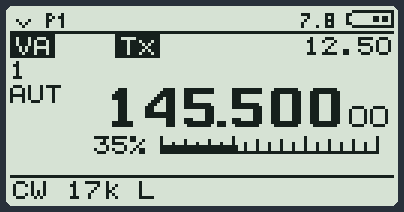
- Hold down 0: the mode opens. Choose CW and press MENU.
- Now PTT is a Morse key: pressed = signal, released = silence.
- The radio stays in transmission between one stroke and the next and goes back to listening by itself about half a second after the last one.
The speed: CW Spd
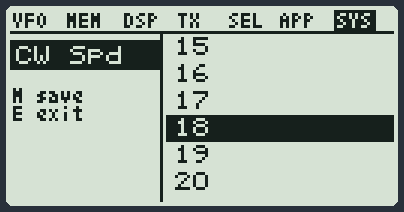
In the SYS menu the item CW Spd says how fast the Morse made by the radio is: from 5 to 30 words per minute. Factory value 15. It applies to the paddle, the beacon, the Morse messages and the gym. The lower the number, the slower it is.
Connecting a key or a paddle
The key or the paddle connects to the USB-C socket of the radio, the one where you usually plug the computer cable. You do not need to open the radio: all you need is one USB-A socket mounted on the key, four small capacitors and a normal USB cable, like the ones of a phone.
Inside a USB-A socket (or inside an old USB cable cut open) there are four coloured wires. Looking at the socket from the front, the contacts are counted from the left:
| Contact | Wire | Goes to |
|---|---|---|
| 1 | red (VBUS) | NOTHING. Cut it short and insulate it with tape. It must not be connected to anything, ever. |
| 2 | white (D-) | the dash lever |
| 3 | green (D+) | the dot lever (or the straight key) |
| 4 | black (GND) | the common of the two levers |
- Get a female USB-A socket, or cut an old USB-A cable.
- Insulate the red wire: it is not needed.
- Connect the green to the dot lever, the white to the dash lever, the black to the common of the two levers.
- Put two ceramic capacitors, one of 10 nF and one of 1 nF, between the green and the black, and two more of the same kind between the white and the black. Short legs, close to the socket.
- Do you have a straight key instead of a paddle? One contact between the green and the black is enough. Then in the menu you will set Paddle to KEY.
- If the radio stays in transmission by itself when you transmit (it happens mostly at high power: it is RF feedback), a clip-on ferrite on the cable, near the plug that goes into the radio, is recommended. Wind the cable twice through the ferrite and then close it. A cable that is not too short also helps.
- Connect the key to the radio with any USB-A / USB-C cable. If the computer was on the socket, unplug it first.
The Paddle item
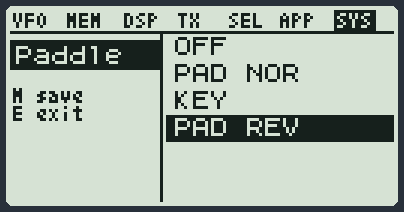
In the SYS menu the item Paddle tells the radio what you have connected:
| Value | What it does |
|---|---|
| OFF | No key, no paddle. |
| PAD NOR | Paddle with two levers. Hold one lever and the radio makes a row of dots by itself; the other, a row of dashes, all exact at the speed of CW Spd. Squeezed together: dot, dash, dot, dash. |
| KEY | Straight key: the signal lasts as long as you hold it down. You make the timing. |
| PAD REV | The same, but with the two levers swapped. For those who use the other hand or have swapped the wires. |
Transmitting with the paddle
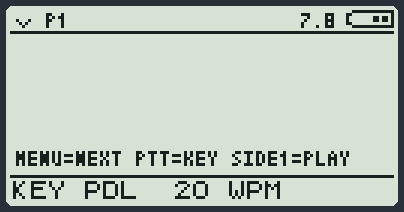
You need the CW Paddle module loaded in the radio. It has no screen and you do not open it: it starts by itself.
- Set Paddle to PAD NOR, PAD REV or KEY.
- Choose the mode of the VFO. In CW only the carrier goes out, like a real Morse transmitter. In FM an 800 Hz note goes out (modulated Morse, MCW), which anyone listening in FM can hear, even through a repeater.
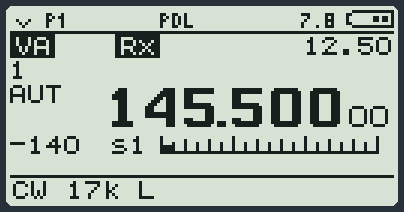
- Leave the levers alone for a moment. PD? appears at the top and right after PDL: the paddle is ready.
- Key your Morse. The radio starts transmitting at the first mark and goes back to listening by itself after the last one. While you transmit, a line under the bar shows the last letters you sent (21 characters), with the paddle and with the straight key.
- To stop: put Paddle back on OFF, or switch to a mode that is not CW or FM (for example AM).
USB BUSY and USB CABLE
The radio always checks that there really is a paddle on the USB-C socket and not the computer cable. To the radio, a computer cable looks like a paddle with both levers pressed: without this check it would transmit by itself.
| Message | It means | What to do |
|---|---|---|
| USB BUSY | The computer is switched on and plugged into the socket, and people are talking. The Paddle item goes to OFF and the computer stays connected. | Unplug the computer cable, plug in the paddle and set the Paddle item again. |
| USB CABLE | The radio saw the two levers pressed together for too long: it is not a paddle, it is a cable (or a charger). The Paddle item goes to OFF and the socket goes back to the computer. | Take out the cable, plug in the paddle and set the Paddle item again. |
| PD? that does not become PDL | The radio is waiting to see the levers at rest. | Do not touch the levers. Check that the little cable is not shorted. |
| PADDLE OFF | The maximum transmission time has run out, or you opened the USB module from the list of applications (the socket went back to the computer and the Paddle item went to OFF). | Check that a lever has not stayed pressed, then put Paddle back on OFF and again on your value. |
Getting the computer back after the paddle
- Put Paddle back on OFF.
- Unplug the paddle and connect the computer cable.
- Press MENU, 6, choose USB and press MENU. You read USB ON.
- Or, simpler: switch the radio off and on again.
The beacon
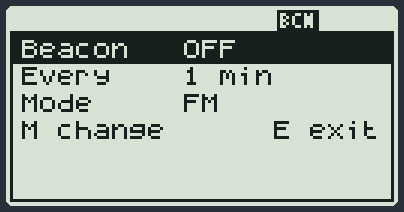
The Beacon module transmits by itself, now and then, your callsign in Morse. In V6 it has no items in the menu: you turn it on and set it from its own screen (APP menu, Beacon).
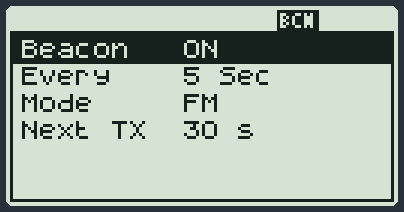
| Line | What MENU does |
|---|---|
| Beacon | Turns it on (ON) and off (OFF). |
| Every | How often it transmits: from 5 Sec to 20 min. |
| Mode | CW = real Morse (the VFO must be in CW). FM = a beeping note over FM. |
The arrows choose the line, EXIT goes back to the main screen. When on, the beacon keeps working in the background (code BCN) and starts again by itself when you switch the radio back on. The first transmission starts after 30 seconds. Any key stops the transmission in progress. The speed is that of CW Spd. The rest is in its data sheet.
Learning: CW Trainer
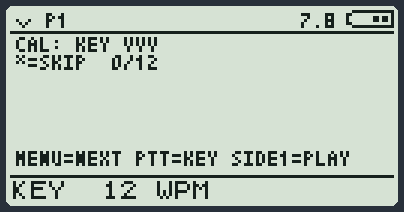
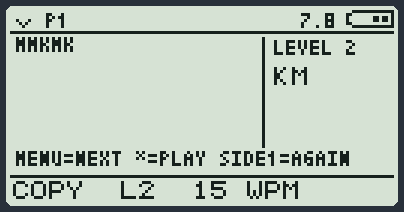
The Morse gym. It never transmits: it only plays from the loudspeaker. It is explained in its data sheet: you find it in the list of modules. In the gym you turn the paddle on and off by holding down side key 1; while it waits for the levers to be at rest you read PDL WAIT. The speed is that of CW Spd: the arrows change it.